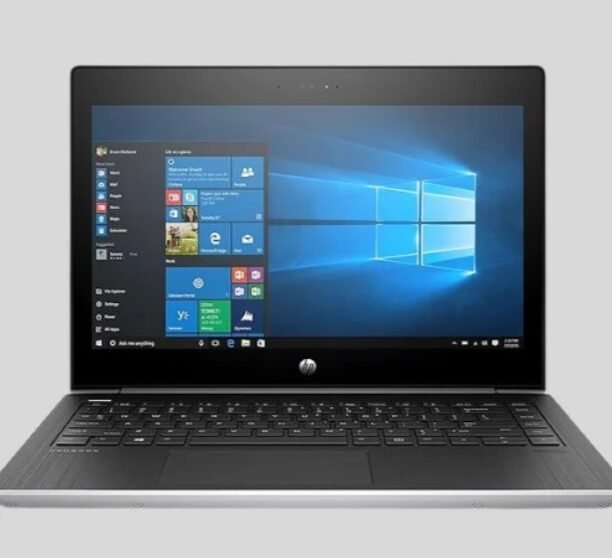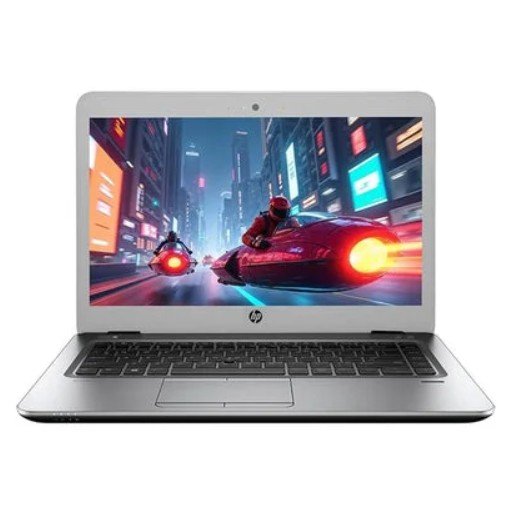

Do you need a computer but want to spend less money? That is a very smart plan! When you buy a used laptop, you can get a good, strong machine without paying a high, new price. But you must be careful! Buying a used computer from a person can be very risky. You need to be very, very careful so you do not buy a broken one.
We at Nuwara Technology want to help you stay safe and smart. This super easy guide gives you simple steps to check any used laptop like a real expert. These steps help you know if the computer is good or if it is a problem. If you are looking for a Second hand laptop in Ahmedabad, reading this guide is the most important thing you do before you buy. Use these easy steps, and you will stop yourself from getting a bad computer!
Part 1: Your Job Before You Look (Simple Things to Know)
Before you even go to look at a laptop, you must know what you need it for. This saves your time and stops you from buying the wrong thing.
Tip 1: What Will You Use the Laptop For?
Think simply about the main job for your computer.
- For Simple Things (School or Home): You need to send mail, write simple letters, and watch videos. You do not need a super-fast computer.
- For Normal Work (Job or College): You need to do a few things at the same time, like video calls, big work sheets, and many internet pages. You need a middle-speed computer.
- For Hard Work (Games or Videos): You need the best, fastest brain and a special card for pictures. You need a very strong computer.
If you know what you need, you will know the right price. If you only need a simple laptop, do not pay extra for a gaming one!
Tip 2: Learn Simple Computer Words
The person selling the laptop will talk about parts. You need to know what they mean simply.
- Processor (CPU): This is the brain of the computer. Look for Intel Core i5 or AMD Ryzen 5 or a bigger number. A bigger number means a faster brain. A faster brain means the computer works fast.
- RAM (Memory): This is the computer’s fast helper. It lets the laptop do many things at the same time (like having many internet tabs open). Try to get at least 8GB (GigaBytes) of RAM. More RAM is better if you work on many things at once.
- Storage (Hard Drive): This is the space where all your files are kept. Always try to get an SSD (Solid State Drive). It is much, much faster than the old HDD (Hard Disk Drive). Get at least 256GB of SSD space.
Tip 3: Find the Correct Price
When you know the exact name and number of the laptop, go online. Look for that exact laptop sold by other people or other stores. This shows you the correct price. If a seller asks for much more money, do not buy it. If they ask for too little money, be extra careful—it might be broken!
Part 2: Look at the Computer Closely (What to Touch and See)
When you meet the seller, you must look at the machine very, very closely. This is where most problems hide.
Tip 4: Check the Body and the Screen Locks (Hinges)
Look at the outside of the laptop very closely.
- Big Bumps and Cracks: Are there any deep scratches, cracks, or big bumps? These mean the laptop might have been dropped hard. If it was dropped, the inside parts might be broken later.
- Hinges: The hinges are the parts that hold the screen up. Open and close the screen slowly. Do the hinges feel strong? If they feel loose or shaky, they might break soon. Fixing hinges costs a lot.
- Screws Missing: Are any screws missing from the bottom? This means someone opened it and maybe put it back wrong.
- Stickers: Are there many big stickers on the case? Sellers sometimes use stickers to hide cracks. Try to peel them back a little to check.
Tip 5: Check the Screen (Very Costly Part)
The screen is the most expensive part to change.
- Turn it ON: Ask the seller to turn the laptop on right away.
- Look for Lines/Spots: Look very closely at the screen. Do you see strange colored lines that stay there? Do you see any small black or white spots (called “dead pixels”)? Even one spot is annoying.
- Check Light: Make sure the screen is bright. Change the light setting up and down. Does it change smoothly? If the screen flickers or the color looks strange, there might be a problem inside.
- Shake Test: Gently move the screen back and forth while the laptop is on. If the screen changes color or flickers when you move it, the cable inside is broken. This means a big fix is needed.
Tip 6: Test the Keys and the Mouse Pad
These are the tools you use all the time. They must work perfectly.
- Use a Note App: Open a simple note app. Press every single key on the keyboard one by one. Do they all work? Do any keys stick down? A key that does not work is very bad.
- Test the Mouse Pad: Move your finger on the mouse pad. Does the arrow move smoothly? Try clicking the left and right buttons. Do they work? If the mouse pad is slow or the arrow moves by itself, it might be broken.
Part 3: The Inside Check (Testing Everything Else)
The outside might look okay, but the inside working parts are what matters most.
Tip 7: Check Every Hole for Plugs (Ports)
Laptops have many holes (ports) for plugging things in (USB, headphones, etc.). You must check all of them.
- USB Ports: Bring a small USB drive or a mouse. Plug it into every single USB port on the laptop. Does the laptop see it right away? If a hole is broken, you cannot use that plug.
- Headphone Jack: Bring your earphones. Plug them in and play music. Does the sound come out clearly? Gently wiggle the plug to see if the sound cuts out.
- HDMI Port: If you can, ask the seller to let you plug the laptop into a TV using an HDMI cable. This checks if the video plug works for bigger screens.
Tip 8: Check the Battery Power
The battery is one of the first things to get weak in a Second hand laptop in Ahmedabad. New batteries cost a lot of money.
- Ask the Seller: Ask the seller how long the battery lasts when they use it. If they say it lasts only 30 minutes, you know you will need a new battery very soon.
- Use Without Charger: Take the charger out. Use the laptop for 15 minutes while doing work. Does the battery number drop very, very fast? If it drops quickly, get ready to buy a new battery. Make sure the charger cable also works well.
Tip 9: Test Internet, Sound, and Camera
- Wi-Fi: Try to connect to the internet (use your phone’s Wi-Fi). Does the laptop see the internet name easily? Does it connect fast and stay connected? If the Wi-Fi part is weak, your internet will be slow forever.
- Webcam and Mike: Open the camera app. Does the camera work? Is the picture clear? Talk into the laptop and record a short sound clip to check the microphone. These are key for your calls.
- Speakers: Play a video or music. Turn the sound up high. Does the sound crackle or sound too quiet? Good speakers are needed for movies and calls.
Part 4: The Best and Safest Place to Buy
Even with all these checks, buying from a private person is risky because they give you no promise if it breaks. This is why many smart people in Ahmedabad choose a professional place.
A professional Used laptops dealer in Ahmedabad has already done all of these checks (and more!) for you. They sell “refurbished” laptops. This means the computer has been fixed, cleaned, fully tested, and always comes with a guarantee to protect your money.
If you still choose to buy from a private person, remember these safety rules:
- Meet in a Busy Place: Never go to the seller’s house. Meet in a public, safe, busy place (like a café) where you can plug in the laptop and check it.
- Clean the Files: Before you take the laptop, tell the seller they must remove all their files and reset the computer. If they say no, you risk getting their viruses or secret files.
- Get a Note: Write a simple note that says the laptop name, the date, and the money you paid. This is important proof.
- DO NOT PAY UNTIL YOU TEST: Never give the money until you have held the laptop, turned it on, and finished every single check in this guide.
Conclusion: Be Smart, Be Safe
Buying a used computer is a great way to save money and get a powerful tool. But you must be smart and careful. Do your simple checking, know the correct price, and do all the tests we showed you—the outside and the inside parts.
Whether you take a chance with a private seller or choose the safety of a guaranteed machine from a professional shop, these tips are your best helper. Use this guide every time you look at a Used laptop in Ahmedabad. Check everything carefully, and you will get a great deal!
For more information, visit our shop or contact us today!