Introduction: Smarter Tech Choices in a Pricey World
Buying a new laptop these days feels like a maze. Prices keep going up, models keep changing, and before you even settle on one, a newer “better” version is already out. It’s confusing, and frankly, a little exhausting.If you’re working remotely, freelancing, or studying online, you probably just want something that’s fast, reliable, and doesn’t burn a hole in your pocket. That’s exactly why so many smart buyers are switching to Certified Refurbished Laptops.
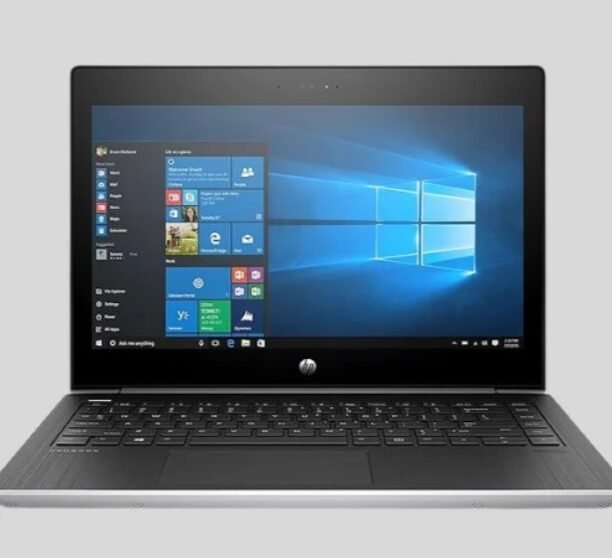
And no, we’re not talking about beat-up second-hand machines. These are fully tested, professionally restored devices that perform almost like new — but cost way less. At Nuwara Technology Pvt. Ltd., we’ve watched this shift up close. People aren’t just saving money; they’re making smarter, more sustainable tech choices. And honestly, that’s where the real win is.In this guide, we’ll walk through five easy ways to save big when buying refurbished laptops without compromising on quality, speed, or peace of mind
Why Buying New Isn’t Always the Smartest Move ?
In today’s fast-evolving tech market, brand-new isn’t always the best investment.
Sure, unboxing a new laptop has its appeal, but when you crunch the numbers, the long-term value often doesn’t justify the premium.
A new laptop can drop 30% in value right after purchase — just like a new car losing worth once it hits the road. Soon after, refreshed versions arrive with minor upgrades, and that “latest” model no longer feels current. Here are a few more reasons why going new can be overrated:
- You pay a premium for hype: Those extra features? Most people never use them. You’re basically paying for bragging rights.
- You overbuy on specs: If you’re doing assignments, video calls, or spreadsheets, you don’t need a monster GPU or 32 GB RAM. It’s like buying a race car just to drive to the grocery store.
- They lose value fast: Try reselling a new laptop after six months — the resale prices will surprise you, and not in a good way.
- Hidden costs and delays: New launches often mean waiting weeks for stock, confusing warranty fine print, or limited coverage.
- It’s not very eco-friendly: Every new gadget adds to manufacturing waste. Refurbished laptops, on the other hand, give tech a second life — good for your wallet and the planet.
So yeah, while new is tempting, it’s not always the smartest financial move.
The trick is knowing how to buy refurbished wisely — and that’s where the fun part begins.
Smart Way #1: Pick the Laptop That Fits You, Not the Marketing
The first rule of saving? Don’t buy what you don’t need. Sounds obvious, right? But you’d be surprised how many people go overboard “just in case.”
Here’s how to think about it:
- If you’re a student — you need reliability, not raw power. A laptop with 8 GB RAM, SSD storage, and a mid-tier processor like an Intel i5 or Ryzen 5 will do the job perfectly.
- If you’re working from home — focus on comfort and multitasking. A slightly faster CPU, 16 GB RAM, and 512 GB SSD will keep things smooth.
- If you’re a creative or developer — go for a workstation model with more RAM and a solid GPU. You’ll still save big compared to buying new.
Don’t fall into the “future-proof” trap that marketing loves to push. You can always upgrade later. When you buy based on your actual needs, you save money and end up with a device that feels like a perfect fit. And that’s exactly what smart buyers including many of our customers at Nuwara Technology Pvt. Ltd. are doing right now.
Smart Way #2: Wait for the Right Moment to Buy
Timing matters — a lot. Just like airline tickets, laptop prices move in cycles. Refurbished ones especially go up and down depending on stock and season.
Here’s when to keep an eye out:
- Back-to-school season : August–September – Perfect time for students. Refurbishers often drop prices or throw in free accessories.
- End of financial year : March–April – Sellers clear old inventory. That’s when discounts can hit hard.
- Festivals or online sales – Think Diwali, Independence Day, or Black Friday. Even refurbished platforms run deals during these times.
- New product launches – When brands drop new lines, previous models flood the refurb market — same specs, lower price.
Set up alerts or check listings once a week. These sales don’t always last long because stock is limited. A bit of patience can save you thousands — literally.
Smart Way #3: Always Check Warranty and Return Policies
- Warranty = confidence.
If a seller doesn’t offer a clear warranty, skip the deal — no matter how cheap it looks. - Look for at least a 6–12 month warranty.
That’s your safety net. Check what’s covered, some warranties include only hardware, while others protect parts like the battery or screen too. - Check the return policy carefully.
You should have 7–14 days to test your laptop. Use that time to check battery life, keyboard response, display quality, and overall performance. If something feels off, you should be able to return it easily. - Watch for hidden costs.
Extra charges like shipping fees, restocking costs, or “optional” add-ons at checkout can quickly eat into your savings. Always compare the final price, not just the base price. - Be cautious of deals that look too good.
If a “certified” laptop is selling for half the usual refurbished price, it’s probably not fully certified or missing key components. Paying a little more for transparency and quality saves you more in the long run.
Smart Way #4: Stick to Trusted Certified Sellers
This is where most people slip up. Not all “refurbished” laptops are the same. The word gets thrown around loosely online, sometimes for properly tested machines, other times for basic second-hand resales.
A Certified refurbished laptop goes through professional testing and quality checks. Every component — RAM, storage, battery, ports is tested, replaced if needed, and verified again before it’s shipped out. That’s what separates a reliable buy from a risky one.
When you’re browsing sellers, keep an eye out for a few signs:
- Transparency. They should clearly list what “certified” means — how many tests, what’s checked, and what’s replaced.
- Real customer reviews. Look beyond their website. Google, Trustpilot, Reddit — see what others say.
- After-sales support. Can you reach them easily if something goes wrong? Do they offer quick repairs or replacements?
- Brand partnerships. The best refurbishers often source directly from manufacturers or large enterprises, so you know the origin.
Smart Way #5: Think Long-Term — Buy Something You Can Upgrade
Here’s where many buyers miss the real savings. You don’t just save when you buy a refurbished laptop, you save every year you don’t need to replace it.
Pick a laptop that’s upgrade-friendly. Something you can easily open up to add more RAM or swap the SSD later. Many business-class laptops — like Lenovo ThinkPads, Dell Latitudes, and HP EliteBooks — are built this way. They’re tougher, more modular, and cheaper to maintain.
Why it matters:
- Upgrades are cheaper than replacements. Adding 8 GB RAM costs far less than buying a new laptop next year.
- Better lifespan. Business-grade models are designed to last 5–7 years easily.
- Continued support. Refurbished laptops from the last few years still get OS updates and drivers.
- Eco bonus. Upgrading instead of discarding helps cut e-waste.
So when you’re choosing, think a little ahead. Even if it’s a bit pricier upfront, an upgradeable machine pays off over time — and you won’t find yourself shopping again next year.
Bonus Tip: Get the Most Out of Your Laptop After Purchase
Once your laptop arrives, don’t just start working — give it a quick tune-up:
- Run all updates and driver checks.
- Calibrate the battery so it holds charge properly.
- Install antivirus and basic utilities.
- Clean out unused apps every few months.
- Back up your files regularly.
A little maintenance keeps it running like new and adds a few more years of life. And that’s money saved right there.
Conclusion: Smart Choices Always Win
In today’s fast-moving tech world, smart buyers aren’t the ones chasing the newest laptops, they’re the ones who buy wisely. Certified Refurbished Laptops strike that sweet spot between performance, price, and purpose. You get dependable speed, genuine warranty, and big savings without giving up quality.
At Nuwara Technology Pvt. Ltd., we see it happen all the time, students saving big, freelancers upgrading affordably, and businesses getting premium machines without breaking the bank. Follow these five simple moves: know your needs, shop at the right time, check the warranty, stick to certified sellers, and think ahead for upgrades.
Ready to Make the Smart Switch?
Stop paying extra for the “latest” when you can get the same power, reliability, and warranty for less. Get in touch with us today and explore certified refurbished laptops that fit your work or study life without draining your wallet.
Frequently Asked Questions
1. Are refurbished laptops really worth it for work and study?
Absolutely. Certified refurbished laptops deliver near-new performance for a fraction of the cost. For students and professionals, they strike the perfect balance between quality and affordability.
2. How long does a certified refurbished laptop last?
On average, about three to five years, sometimes longer with proper care. These devices are usually built tough, often coming from business lines made to handle daily use.
3. Is buying a refurbished laptop online risky?
Only if you buy from unreliable sellers. The key is choosing certified refurbishers who test every unit, replace faulty parts, and include a warranty. That way, you’re getting a device that’s been properly restored and guaranteed to perform.
4. Can I upgrade a refurbished laptop later?
Yes, most of them make upgrades easy. You can add more RAM, switch to an SSD, or expand storage anytime — giving you flexibility as your needs grow.
5. What’s the difference between used and certified refurbished laptops?
Used laptops are sold as-is, with no testing or warranty. Certified refurbished laptops go through full inspections, repairs, and quality checks, making them safer, faster, and more reliable.