
Introduction
Buying Second-Hand Computer in Ahmedabad is becoming a common choice for students, working professionals, small companies, and even large IT teams. People choose used systems because they get strong performance, dependable quality, and a much lower price compared to new devices. This shift in buying habits shows that people prefer smart spending instead of unnecessary expenses. When done correctly, purchasing a second-hand system can offer smooth computing, long device life, and a safe buying experience.
However, many buyers do not know what to check, whom to trust, or how to avoid hidden problems. These concerns are valid because used devices can sometimes come with poor parts, missing repairs, or outdated components. This blog offers a complete guide designed to simplify the buying process so every user makes a confident choice.
About Nuwara Technology Pvt Ltd
Nuwara Technology Pvt Ltd is one of the most trusted names in pre-owned computing solutions. They help students, professionals, and companies find reliable machines at fair prices. Their focus is on providing devices that work smoothly, last longer, and pass strict inspection. Every system undergoes a clear Computer Hardware Inspection Checklist so the buyer receives a dependable machine.
Nuwara follows a simple process that includes device testing, Data Wipe and System Reset Process, replacement of weak parts, and certification. The company also supports the buyer through clear guidance, fair pricing, and quick after sales service. This makes them a preferred spot for people who want a safe and long term investment in pre-owned devices.
What Makes Second Hand Computers A Smart Choice?
Buying used computers is not just a budget saving decision. It is a practical move that helps users get good performance at a lower cost. Most people do not need brand new devices. They only need a system that works smoothly for work, study, or business.
Key reasons why second hand systems make sense:
1. Budget Savings: Save significantly while enjoying strong performance from enterprise-grade refurbished laptops at 40-70% off new prices. Frees funds for upgrades or growth.
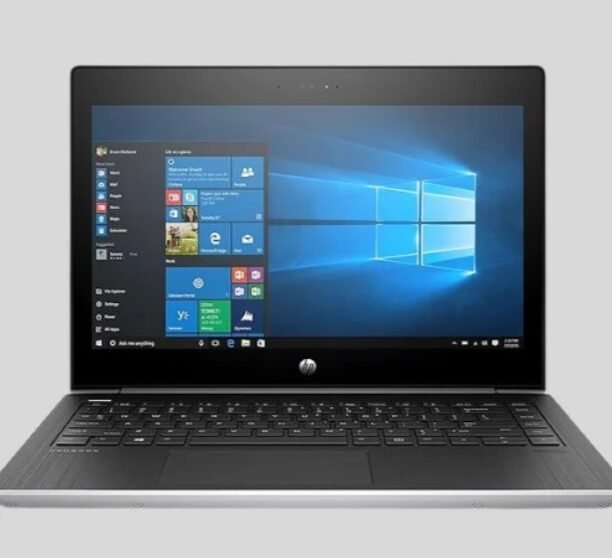
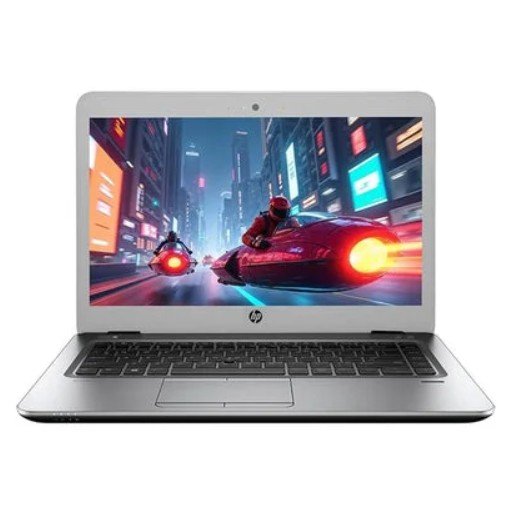
2. Model Variety: Choose from diverse models like Dell Latitude or HP EliteBook to match your workflow, ultrabooks for travel or workstations for heavy tasks.
3. Premium Brands: Access costly brands like Apple or Lenovo at affordable prices, retaining original build quality and features for pros and SMBs.
4. Performance Testing: Rigorous testing ensures smooth operation with warranties, battery checks, and part replacements for zero downtime.
5. Eco Benefits: Supports recycling and reuse, cutting e-waste and carbon footprints by extending device life sustainably.
These points show why many users now prefer smart buying over expensive purchases.
Why Mistakes Happen When Buying Used Devices?
People make mistakes mainly because they do not know what to check. These mistakes can lead to extra repair costs or low system performance.
Common reasons people choose the wrong system
1. Skipping Performance Tests: They buy without checking Refurbished Device Performance Testing results, risking faulty hardware like slow processors or overheating. Always review benchmarks to ensure enterprise-grade reliability.
2. Ignoring Battery Health: They ignore battery condition and face issues later, such as short runtime or sudden failures mid-workday. Demand cycle counts and health reports for lasting power.
3. Falling for Cheap Deals: They trust low-priced deals from unreliable sellers, ending up with subpar or counterfeit units. Stick to certified refurbishers for quality at true value.
4. Overlooking Warranties: They skip Used Computer Warranty Options, leaving themselves unprotected against defects. Opt for 1-3 year coverage to minimize repair costs and risks.
5. Neglecting Data Security: They do not confirm if the system was properly reset through the Data Wipe and System Reset Process, exposing sensitive data risks. Verify factory resets and certifications for peace of mind.
Key Factors to Check Before Buying a Used Computer
Choosing a pre-owned device becomes simple when you follow clear steps. These checks protect you from hidden problems.
1. Check performance: A good refurbished corporate laptop should run smoothly without excessive noise or lag, delivering reliable performance for daily tasks. Look for quick startup times that get you working in seconds, clean storage free of errors for fast file access, stable graphics that handle visuals without glitches, and smooth multitasking to juggle apps effortlessly.
2. Battery condition: For laptops, battery life is one of the biggest concerns. Pre-Owned Laptop Battery Health Check helps you understand real battery strength. Ask the seller for details and confirm if the battery was used for long durations.
3. Hardware inspection: Every part of a refurbished corporate laptop must be thoroughly checked using a Computer Hardware Inspection Checklist to ensure top performance. This includes verifying fan condition for quiet cooling without dust buildup, inspecting the motherboard for stability and no shorts, testing the keyboard for responsive keys and no sticky spots, confirming USB ports for full functionality and data speeds, evaluating speakers for clear audio output, and assessing display quality for vibrant colors and no dead pixels.
4. Warranty and support: Reliable Used Computer Dealers always offer clear warranty coverage, typically 1-3 years, to protect you from sudden repair costs and provide lasting peace of mind. This ensures quick fixes or replacements for defects, backed by transparent terms on what’s covered. Choose dealers with proven track records to avoid hidden fees and enjoy confident, hassle-free ownership of your refurbished corporate laptop.
5. System reset: A complete Data Wipe and System Reset Process ensures the refurbished corporate laptop is safe, private, and fresh for new use by securely erasing all previous data and reinstalling the OS. It guarantees a clean slate with no bloatware, optimized performance, and full compliance for business or personal security
Why Buying From Reliable Dealers Matters?
Trustworthy sellers make the process smoother and safer. They offer support, clarity, and repairs when needed. Every system goes through a full inspection before selling to ensure reliable performance and quality. Devices are cleaned, storage is securely reset, and prepared for immediate use.
Customers benefit from quick and simple warranty support, along with genuine parts replacement when needed. Expert guidance on upgrade options helps buyers choose the right configuration for their needs, all at fair and transparent prices. This thorough process builds confidence and helps customers avoid costly mistakes when purchasing a system.
Understanding Certified Refurbished Devices
Certified devices go through strict testing before being sold again. This makes them more reliable than normal used systems.
What certified devices include:
1. Detailed performance testing: Each computer is thoroughly tested to ensure all components are working efficiently and meet performance standards before sale.
2. Replacement of weak hardware: Any faulty or underperforming parts are replaced with reliable components to ensure long-term stability and smooth operation.
3. Full cleaning: The system is carefully cleaned inside and out to remove dust, improve airflow, and enhance overall performance and appearance.
4. Software refresh: The operating system is reinstalled and updated to provide a clean, secure, and ready-to-use setup for the new user.
5. Proper packaging: Devices are securely packed to prevent damage during handling or transportation, ensuring safe delivery to customers.
6. Used Computer Warranty Options: Flexible warranty options are available to give buyers peace of mind and protection after purchase.
Differences Between Used and Refurbished Devices
Many people think both are the same. In reality, they are different.
1. Used: Used products are typically sold as it is, which means they may come with hidden or unknown issues that are not immediately visible. Support is often limited or unavailable, making repairs the buyer’s responsibility. While the lower price can be attractive, it also carries a higher risk compared to fully tested or refurbished options.
2. Refurbished: Refurbished products are thoroughly checked and repaired to ensure reliable performance. They are restored to look and work like new, offering a dependable user experience. With a warranty included, refurbished systems provide added peace of mind, making them a safe and smart long-term choice for buyers seeking quality and value. Understanding this difference helps buyers pick the right option.
How to Compare Devices Before Buying?
Comparing options is important for finding a good deal.
Key comparison points:
1. Price Difference: Compare total cost against new models to ensure true savings without sacrificing quality.
2. Specifications: Verify CPU, RAM, and storage match your workload for optimal performance
3. Body Condition: Check for scratches, dents, or wear that could affect durability and resale value.
4. Battery Life: Review cycle count and health percentage for reliable all-day usage.
5. Warranty Period: Look for 1-3 years of coverage to protect against defects and repairs.
6. Upgrade Options: Confirm RAM/SSD expandability for future-proofing your investment.
7. After Sales Support: Choose sellers offering responsive help, returns, and technical assistance.
Mistakes To Avoid When Buying Second Hand Systems
Many buyers make the same mistakes. Knowing them helps you avoid future costs.
1. Choosing low prices instead of quality: A very cheap system may have hidden problems that lead to higher repair costs later.
2. Ignoring battery condition: Weak or worn-out batteries can significantly reduce usability and add replacement expenses.
3. Buying without checking warranty: Without a warranty, any repair or failure becomes the buyer’s responsibility.
4.Skipping system inspection: Not checking hardware and software conditions can result in performance or reliability issues.
5. Ignoring upgrade compatibility: Some systems may not support future upgrades, limiting performance and long-term value.
Upgrade Options That Improve System Life
Second-hand systems can become powerful and reliable with a few smart upgrades. Adding extra RAM improves multitasking, while faster storage such as an SSD significantly boosts speed and responsiveness. Replacing an old battery extends usage time, and updated software ensures better security and performance. Installing a stronger cooling fan helps prevent overheating and maintains system stability. Together, these upgrades increase overall speed and greatly improve the user experience
Understanding the Refurbishment Process
A proper refurbishment process is not just cleaning the system. It includes deep internal checks that restore the device to new condition. This process improves performance and reduces the chance of failure.
What does the process usually include?
Refurbishment involves a thorough cleaning of both internal and external components to ensure proper airflow and a fresh appearance. Each device undergoes performance testing to confirm it can handle everyday tasks smoothly. Any old storage drives or faulty fans are replaced to improve reliability and cooling efficiency. The operating system is fully reset to provide a clean and secure setup, while battery health is carefully reviewed for laptops. Upgrade options are also checked to enhance speed and overall performance, ensuring the system is ready for long-term use. A system that goes through this detailed process becomes a safe choice for both individuals and businesses.
When Should You Reject a Used Computer?
Not every low priced device is worth the risk. Some systems show signs of damage that can lead to future problems. Common warning signs that a computer may have issues include unexpected shutdowns, frequent overheating, and a battery that drains unusually fast. Physical problems such as broken or loose ports, a flickering display, or missing screws and visible dents can also indicate internal damage or poor handling, signaling that the device may require repairs or replacement. If any of these issues appear, it is better to avoid the device even if the price seems attractive.
Why does Nuwara stand out?
1. Clear Testing Reports: Nuwara provides detailed Refurbished Device Performance Testing results, including benchmarks and diagnostics. This transparency lets you verify smooth operation before purchase.
2. Genuine Parts: Only authentic OEM components are used for replacements, ensuring compatibility and original performance standards. No cheap knockoffs that fail prematurely.
3. Skilled Technicians: Certified experts handle inspections, repairs, and upgrades with years of enterprise hardware experience. They follow strict Computer Hardware Inspection Checklists for reliability.
4. Strong Customer Support: Responsive teams offer pre-sales guidance, post-purchase help, and fast issue resolution via chat or phone. Personalized assistance builds long-term trust.
5. Simple Buying Process: Streamlined online selection, secure checkout, and quick delivery without hidden steps or upsells. From browsing to unboxing in days.
6. Transparent Pricing: All costs upfront with no surprise fees; compare specs, condition, and warranty directly. True value without fine print confusion.
Why Students Prefer Pre Owned Systems?
Students have limited budgets but need fast, reliable systems for online classes, assignments, and projects, making second-hand refurbished corporate laptops an ideal solution that saves money while delivering smooth performance. Key student benefits include affordable pre-owned computers that outperform cheap new devices, reliable systems optimized for programming and video editing, the option to upgrade RAM or storage later for growing needs, and comprehensive warranty support for peace of mind during semesters. This makes pre-owned systems a strong choice for young learners.
Why Professionals Choose Used Computers?
Working professionals need stable, responsive machines for demanding workflows, and many prefer refurbished corporate laptops because they deliver better quality at the same or lower cost compared to new budget options. Key advantages include strong performance for daily tasks like multitasking and deadlines, high-quality displays for clear visuals in reports and presentations, superior build quality from enterprise-grade models, cleaner software installations free of bloatware, and trusted used computer retailers providing reliable support. Professionals also favor models with used computer warranty options, which protect against sudden repair needs and ensure uninterrupted productivity.
Why Companies and Businesses Choose Used Devices?
Many companies buy refurbished corporate laptops because they save significantly on budgets without compromising work quality, often purchasing in bulk for employees, labs, or training centers to equip teams efficiently. Business benefits include reliable machines at lower costs for seamless operations, easy replacements in case of damage to minimize downtime, lower laptop depreciation rates for better long-term value, quick service support from trusted dealers, and high availability of parts for fast repairs. This approach helps companies maintain peak productivity while keeping expenses firmly under control.
How to Avoid Costly Mistakes When Buying Second Hand Systems?
This blog aims to prevent the most common mistakes people make, especially first-time buyers of pre-owned systems. Taking practical steps such as choosing reliable dealers, checking warranty coverage, and carefully inspecting hardware can make a significant difference. It’s also important to confirm battery health, ask about refurbishment process standards, and compare multiple devices before finalizing a purchase. Following these steps reduces the risk of costly repairs in the future and helps ensure a more confident and informed buying decision.
Testing Before Buying
Testing is one of the most important stages when selecting a pre-owned computer, as it helps ensure reliability and long-term performance. Key areas to check include the keyboard and touchpad for responsiveness, display brightness for clarity, and hard drive health to avoid data or performance issues. It’s also important to listen for unusual fan noise, test the web camera, and confirm the charging port works properly. Lastly, verify that Wi-Fi and Bluetooth connect smoothly, as connectivity issues can affect everyday use.
Laptop and Desktop Longevity Tips
A well-maintained system can run smoothly for many years, even if it has been previously used. Simple habits like cleaning the device regularly, keeping software and operating systems updated, and avoiding overcharging the battery can significantly extend its lifespan. Removing unused files and programs helps maintain performance, while using a cooling stand for laptops prevents overheating and protects internal components over time. Following these tips ensures long life and smoother performance.
Conclusion
Buying Second Hand Computers is a smart decision when you know what to check and where to buy from. The process becomes simpler when buyers follow inspection steps, confirm warranty details, and choose trustworthy sellers. With clear testing, strong support, and genuine parts, users can enjoy smooth performance for years. The right device offers strong value without overspending and becomes a wise long term investment.
Choose Reliable Pre Owned Systems for Safe Tech Buying
If you are planning to buy a used system that offers strong performance, long life, and clear inspection results, this is the right moment to trust a reliable expert. Get in touch with us and take a step forward and pick a device that supports your goals without financial pressure.
Frequently Asked Questions
1. Are refurbished computers safe to use?
Yes, they are safe when bought from a trusted seller who performs Refurbished Device Performance Testing and clean resets before selling.
2. How long does a good second hand computer last?
A well maintained system can easily last four to six years and sometimes even longer.
3. Is warranty important in used systems?
Yes, warranty protects you from sudden repair costs and gives peace of mind while using the device daily.
4. Can used desktops and laptops be upgraded?
Most systems allow upgrades like storage, RAM, battery, and cooling improvements which increase speed and life.
5. Why choose certified refurbished instead of regular use?
Certified refurbished devices undergo strict testing, replacement of weak parts, and come with warranty which makes them safer for long term use.